Monday, 22 June 2015

Thursday, 30 April 2015
HA7 Task 6 - Constraints
Polygon Count & File Size
To measure an objects file size there are 2 ways you can do that, which is with polygons and vertex counts. The polygon count of a game character can go from 400 uo to 40k+, however mobile games would contain less polygons copared to a PC games.
Polygons Vs. Triangles
When people begin to talk about 'Poly Counts' in a game, they will actually be talking about the 'Triangle Count', nearly almost every game is created using triangles not polygons as most modern hardware is built to render triangles more quickly. Also modelling software tend to show the polygon count of any object, however they may be misleading as the triangle count would a lot more higher.
However Polygons can still be useful as models that made up by 4-sided polygons work as well with tools like 'Edge-loop Selection' and 'Transform' which helps speed up modelling. When an object is finally transferred in to a game engine all polygons are automatically converted in to triangles but there are tools that can create a variant of layouts for the triangles, when this process is finally done the artist must always check if the polygons are successfully converted.
Vertex Count Vs. Triangle Count
When it comes to performance and memory you should consider vertex counts, however it is more common to use triangle count when your measuring performance if your an artist, but this doesn't matter too much if the triangles are all connected as 1 triangle has 3 vertices, 2 would have 4 etc. After changing the smoothness, shade and or material of a triangle it is given a physical break in the surface model, this means the triangle has to be duplicated so the model is able to be sent to the graphics card in render-able pieces. However too many changes can lead to a larger vertex count and may slow down performance.
Rendering Time
The name of the final process of creating a 2D image is rendering, this process is comparable to taking a photo or even filming a complete setup in the real world, also there is multiple ways in which you can render these are specialized. However for any polygon based scenes it is preferred for non-realistic wireframe rendering, other ways that this can be done include scanline rendering or ray tracing. The time it takes to render can vary from from a few seconds to even a few days.
Real-Time
The ability to render video games and animations is performed in real life and is processed between 20-120 frames per second, the goal of this type of rendering is that allows you to view information that is possibly visible by human eyes within a fraction of a second. It can also create the highest photo-realistic that is acceptable within the minimum rendering speed which is only 24fps this is the minimal amount needed to create an illusion of movement. There are certain exploits that can be performed to make the final image more tolerable, rendering software can used to create lens flares, depth of field and even motion blur.
Non Real-Time
When rendering in non real-time these scenes can have a higher quality than when rendered in real-time, this is mostly done for non-interactive scenes in films and TV. The time put in to rendering a scene for a film/TV can go from a fraction of a second to a day or more, when frames are rendered they are stored on hard disks and can be transferred to optical disks.
When it comes to photo-realism, the basics to do this is ray tracing, however there are other techniques like particle system, light ripples and volumetric sampling.
Rendering can easily be quite expensive due to its complexity of processing, the power a computer needs to process has increased and so has the ability of the computer to use this power allowing for more realistic rendering. TV/Film studios have 'render farms' which allows them to render images faster, the fallout costs for this kind of hardware makes it easier for them 3D animations at home.
To measure an objects file size there are 2 ways you can do that, which is with polygons and vertex counts. The polygon count of a game character can go from 400 uo to 40k+, however mobile games would contain less polygons copared to a PC games.
 |
When people begin to talk about 'Poly Counts' in a game, they will actually be talking about the 'Triangle Count', nearly almost every game is created using triangles not polygons as most modern hardware is built to render triangles more quickly. Also modelling software tend to show the polygon count of any object, however they may be misleading as the triangle count would a lot more higher.
However Polygons can still be useful as models that made up by 4-sided polygons work as well with tools like 'Edge-loop Selection' and 'Transform' which helps speed up modelling. When an object is finally transferred in to a game engine all polygons are automatically converted in to triangles but there are tools that can create a variant of layouts for the triangles, when this process is finally done the artist must always check if the polygons are successfully converted.
Vertex Count Vs. Triangle Count
When it comes to performance and memory you should consider vertex counts, however it is more common to use triangle count when your measuring performance if your an artist, but this doesn't matter too much if the triangles are all connected as 1 triangle has 3 vertices, 2 would have 4 etc. After changing the smoothness, shade and or material of a triangle it is given a physical break in the surface model, this means the triangle has to be duplicated so the model is able to be sent to the graphics card in render-able pieces. However too many changes can lead to a larger vertex count and may slow down performance.
Rendering Time
The name of the final process of creating a 2D image is rendering, this process is comparable to taking a photo or even filming a complete setup in the real world, also there is multiple ways in which you can render these are specialized. However for any polygon based scenes it is preferred for non-realistic wireframe rendering, other ways that this can be done include scanline rendering or ray tracing. The time it takes to render can vary from from a few seconds to even a few days.
Real-Time
The ability to render video games and animations is performed in real life and is processed between 20-120 frames per second, the goal of this type of rendering is that allows you to view information that is possibly visible by human eyes within a fraction of a second. It can also create the highest photo-realistic that is acceptable within the minimum rendering speed which is only 24fps this is the minimal amount needed to create an illusion of movement. There are certain exploits that can be performed to make the final image more tolerable, rendering software can used to create lens flares, depth of field and even motion blur.
 |
| (Source) |

When rendering in non real-time these scenes can have a higher quality than when rendered in real-time, this is mostly done for non-interactive scenes in films and TV. The time put in to rendering a scene for a film/TV can go from a fraction of a second to a day or more, when frames are rendered they are stored on hard disks and can be transferred to optical disks.
When it comes to photo-realism, the basics to do this is ray tracing, however there are other techniques like particle system, light ripples and volumetric sampling.
Rendering can easily be quite expensive due to its complexity of processing, the power a computer needs to process has increased and so has the ability of the computer to use this power allowing for more realistic rendering. TV/Film studios have 'render farms' which allows them to render images faster, the fallout costs for this kind of hardware makes it easier for them 3D animations at home.
HA7 Task 5 - 3D Development Software
3D Studio Max
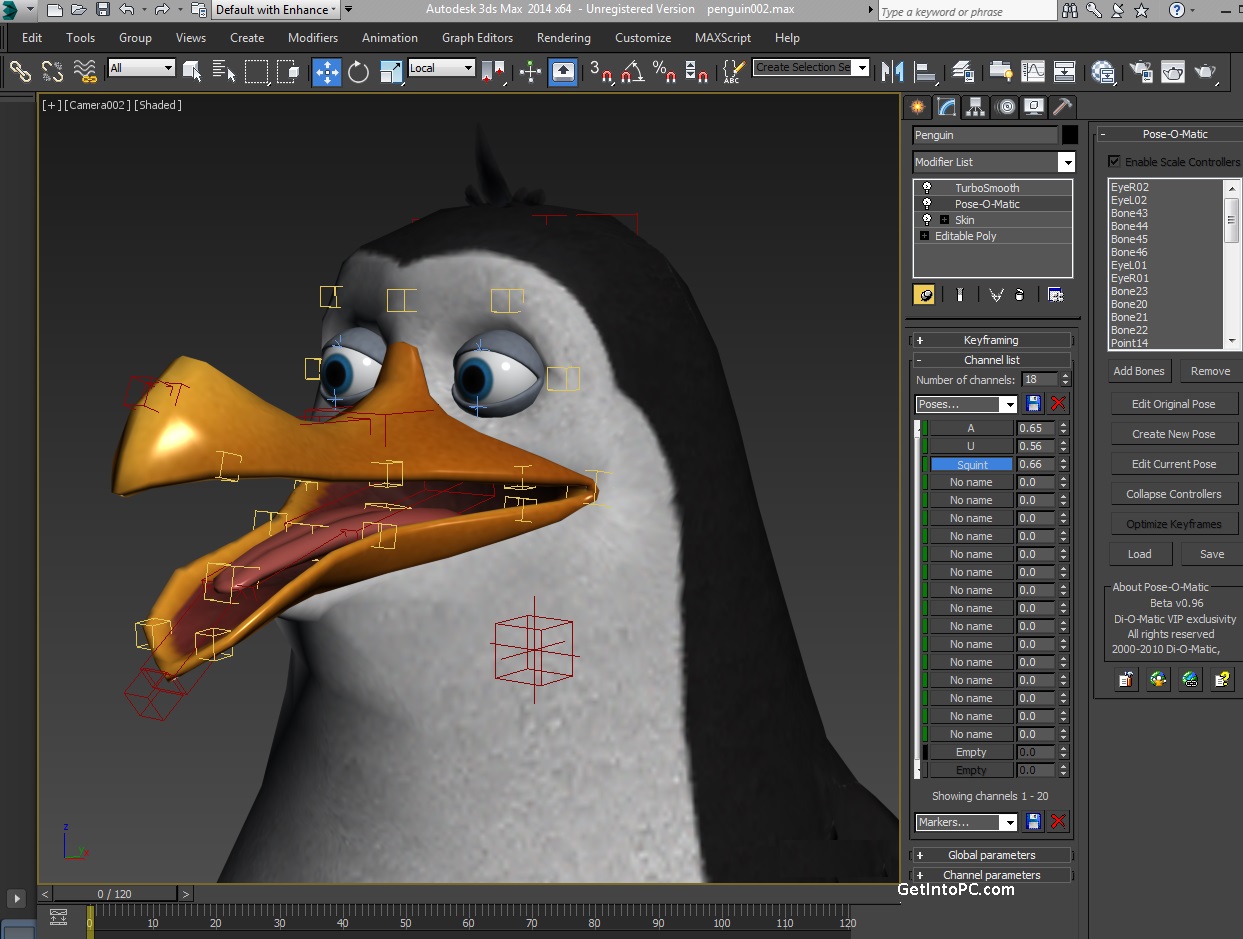
3D Studio Max is a piece of 3D graphic software that is mainly used for creating 3D images, models and animations. This software was developed by Autodesk Media/Entertainment and is used by video game developers, film/TV studios and architectural studios. Also the software can be used for movie effects and pre-visulization. The most recent version will include customizable UI, particle systems, normal map rendering/creation and even script language.
Maya
Maya is a 3D graphic software developed by Alis Systems and is able to run on Windows, Mac and Linux, it can create full 3D apps, animations, video games and films.
Lightwave
Lightwave is a software that is used for rendering 3D images and models, whether they are animated or not, this software also includes a rendering engine that supports realistic reflection/refraction. It can also create polygon models and even subdivide surfaces using its 3D modelling software.
Blender
This is a piece of 3D computer graphic software that is used to create video games and animations, Blender is mainly used for creating 3D models, UV unwrapping, textures, camera tracking, particle simulation, skinning, rendering and even video editing, this also includes a built-in game engine.

Cinema 4D
Cinema 4D is an application for modelling, animating and rendering, and was developed by MAXON Computer GmbH. It can be used for polygonal/subdividing modelling, animation, rendering, texturing or lighting. There are multiple versions of Cinema 4D: 'Prime', which is a broadcast version that included extra motion-graphics features, 'Visualize', which is used for architectural design, and 'Studio', which includes everything.
ZBrush
ZBrush is a tool that helps sculpt 3D models by combining 3D modelling, painting and texturing, this software uses 'Pixol' which allows you to store information for lighting, materials and colours etc, for any objects visible on display. This software is used as a digital sculpting tool and can create high quality models that can be used in movies, animations and games.
Sketchup
Sketch up is a 3D modelling software that can used for architectural, mechanical, film and video game designs. It also includes a free 'professional' version.
File Formats
All 3D applications allow users to save their work in a file format and export them into open formats. Proprietary formats is data presenting mode and is the intellectual property of whoever owns the format. Another format called Open/Free is a format that is not owned as a Intellectual Property or is not recognized as one. Also while Open/Free formats are open at all times Proprietary formats can either be opened (published) or even closed (trade secrets).
3D Studio Max is a piece of 3D graphic software that is mainly used for creating 3D images, models and animations. This software was developed by Autodesk Media/Entertainment and is used by video game developers, film/TV studios and architectural studios. Also the software can be used for movie effects and pre-visulization. The most recent version will include customizable UI, particle systems, normal map rendering/creation and even script language.
 |
| (Source) |
Maya is a 3D graphic software developed by Alis Systems and is able to run on Windows, Mac and Linux, it can create full 3D apps, animations, video games and films.
 |
| (Source) |
Lightwave is a software that is used for rendering 3D images and models, whether they are animated or not, this software also includes a rendering engine that supports realistic reflection/refraction. It can also create polygon models and even subdivide surfaces using its 3D modelling software.
 |
| (Source) |

This is a piece of 3D computer graphic software that is used to create video games and animations, Blender is mainly used for creating 3D models, UV unwrapping, textures, camera tracking, particle simulation, skinning, rendering and even video editing, this also includes a built-in game engine.
Cinema 4D
Cinema 4D is an application for modelling, animating and rendering, and was developed by MAXON Computer GmbH. It can be used for polygonal/subdividing modelling, animation, rendering, texturing or lighting. There are multiple versions of Cinema 4D: 'Prime', which is a broadcast version that included extra motion-graphics features, 'Visualize', which is used for architectural design, and 'Studio', which includes everything.
 |
| (Source) |

ZBrush is a tool that helps sculpt 3D models by combining 3D modelling, painting and texturing, this software uses 'Pixol' which allows you to store information for lighting, materials and colours etc, for any objects visible on display. This software is used as a digital sculpting tool and can create high quality models that can be used in movies, animations and games.
 |
| (Source) |
Sketchup
Sketch up is a 3D modelling software that can used for architectural, mechanical, film and video game designs. It also includes a free 'professional' version.
 |
| (Source) |

All 3D applications allow users to save their work in a file format and export them into open formats. Proprietary formats is data presenting mode and is the intellectual property of whoever owns the format. Another format called Open/Free is a format that is not owned as a Intellectual Property or is not recognized as one. Also while Open/Free formats are open at all times Proprietary formats can either be opened (published) or even closed (trade secrets).
HA7 Task 4 - Mesh Construction
Polygon Modelling
Meshes are a collection of faces, vertices and edges that define the shape of the object with the 3D model. These faces are made up of triangles and even sometimes quadrilaterals or some other type of polygon.

Primitive Modelling
Most methods of creating meshes is by connecting multiple primitives together and are then predefined by the modelling software. Primitives are commonly known as cubes, spheres, pyramids and cylinders and 2D primitives include squares, triangles and circles.


Meshes are a collection of faces, vertices and edges that define the shape of the object with the 3D model. These faces are made up of triangles and even sometimes quadrilaterals or some other type of polygon.

Primitive Modelling
Most methods of creating meshes is by connecting multiple primitives together and are then predefined by the modelling software. Primitives are commonly known as cubes, spheres, pyramids and cylinders and 2D primitives include squares, triangles and circles.

Box Modelling
This is when the artist starts off with the basic primitive and then begin to modify by extruding, scaling and rotating faces and edges. Box modelling only needs to use 2 simple tools which are;
Subdivide: Splitting faces and edges into smaller pieces by adding more vertices, for example a square would be subdivided into 4 smaller squares.
Extrude: Is applied to faces. It creates a completely new face that is the same size and shape, and is connected to the edges of the original face. Extruding a square would create a cube.
Extrusion Modelling
Another method of creating meshes is called inflation/extrusion modelling. For this method, a 2D shape is created which traces the outline of something from an image. Then a second image of a different angle is used and the 2D shape is extruded while following the 2nd shape's outline. This method is common for creating objects such as heads, and artists may create half of a head then duplicate it and flip it and connect the pieces.
Sketch Modelling
This method is very user friendly which allows it to quickly sketch models with less detail than other models.

3D Scanners
3D scanners are used to create meshes designed for real life objects in a high quality, however these scanners are very expensive and are commonly used for professional work.
HA7 Task 3 - Geometric Theory
Cartesian Co-ordinate System
The Cartesian co-ordinate system was invented by Rene Descartes during the 17th century which provided the first link between Euclidean geometry and algebra revolutionizing maths.

Computers are able to draw 2D vectors by plotting points on the X and Y axis and then they can create art by joining the points with lines and then filling the shapes created with colours and the lines made thicker. 3D programs can also perform this task but with an added axis named Z.
Geometric Theory & Polygons
A basic object is used to model and is called the Vertex, this is a point in a 3D space. When two vertices are connected by a line they will create an edge and when 3 connected vertices create a triangle it becomes the simplest polygon that can be made in the Euclidean space. Also when you form together more than one triangle they can create more complex shapes such as quads also known as squares and rectangles.
Polygons that form a group and are connected by vertices are called meshes, hich can also be called a wireframe model. To make these look a lot better none of the polygons are allowed to cross over each other, it is also preferable to not include doubled vertices or edges. No errors should be allowed and it is sometimes important for meshes not to have any gaps or holes.
Primitives
Within 3D applications, some objects are pre-made, and can be used to make models out of them. The most basic shapes are called the Common Primitive, and can be anything from a basic cube to a pyramid. These shapes are used as the beginning points of modelling.
Surfaces
After polygons are made, they can be turned into surfaces which allows them to be coloured or even textured to give them the right look.
The Cartesian co-ordinate system was invented by Rene Descartes during the 17th century which provided the first link between Euclidean geometry and algebra revolutionizing maths.
Geometric Theory & Polygons
A basic object is used to model and is called the Vertex, this is a point in a 3D space. When two vertices are connected by a line they will create an edge and when 3 connected vertices create a triangle it becomes the simplest polygon that can be made in the Euclidean space. Also when you form together more than one triangle they can create more complex shapes such as quads also known as squares and rectangles.
 |

Primitives
Within 3D applications, some objects are pre-made, and can be used to make models out of them. The most basic shapes are called the Common Primitive, and can be anything from a basic cube to a pyramid. These shapes are used as the beginning points of modelling.
Surfaces
After polygons are made, they can be turned into surfaces which allows them to be coloured or even textured to give them the right look.
HA7 Task 2 - Displaying 3D Polygon Animations
Graphical rendering is done by the Central Processing Unit (CPU), and Graphics Processing Unit (GPU). The CPU tells the GPU what to render, for example lighting or shadows.
API
Game engines use software called Application Programming Interfaces (API). API is made up of a set of routines and protocols, and even tools used for creating software applications.
Direct3D
Direct 3D is used to mold, manipulate and display 3D objects, this was developed by Microsoft and allows programmers to develop 3D programs, all PC's can support this program.
OpenGLThis a 3D graphic language which contains 2 different versions Microsoft OpenGL which is built into Windows and was made to improve performance and was made by Microsoft and then there is Cosmo OpenGL which is software only and specifically designed for machines without a graphics accelerator which was developed by Silicon Graphics.
OpenGLThis a 3D graphic language which contains 2 different versions Microsoft OpenGL which is built into Windows and was made to improve performance and was made by Microsoft and then there is Cosmo OpenGL which is software only and specifically designed for machines without a graphics accelerator which was developed by Silicon Graphics.
Graphics Pipeline
A Graphic Pipeline also known as the rendering pipeline is a process of designing a 2D raster image on a 3D scene. Once this 3D model is created, it must transformed into what the monitor will allow to display, examples of Graphic Pipelines are OpenGL and Direct 3D.
Stages of a Graphics Pipeline
 |
3D Geometric primitives
This scene is created using primitives which usually are triangles as they exist only on one plane.
Modelling and Transformation
This is when it is transformed in to a 3D co-ordinate system from local co-ordinate systems.
Camera Transformation
Then It's transformed from the 3D co-ordinate system to THE 3D camera co-ordinate system.
Lighting
The scene is then lit up according to how light the colours are and how reflective the object is. An example would be a completely white object on a black background, the lighting would need to be adjusted for that to be seen.
Projection Transformation
It is transformed from 3D co-ordinates to a 2D camera view. Distant object will be made smaller, and the camera will focus on the central object.
Clipping
This is when any primitives that can't be viewed will be removed.
Scan Conversion or Rasterization
The image is converted to a raster format, and made up of pixels. Then individual pixels can be altered, which is a very complex step.
Texturing, Fragment Shading
The individual fragments get given colors based on values given during the rasterization stage.
HA7 Task 1 - Applications of 3D
3D in Games
A long time ago, a handful of pixels made the space invaders. Graphics were iconic, not representative: a picture on a box or in a manual showed you what it was meant to look like, and your mind filled in the necessary gaps.
The 3D transition normally comes under two forms; a total upgrade and presentation upgrade, both of these changes only alter the graphics and leave the gameplay as it is because it tends to work in both views.
The leap from 2D gaming to 3D started to occur around the fifth generation of game consoles, however there were a few games before this change that used 3D graphics such as Star Fox and Virtual Racer.
In education a software called Gaia 3D helps people teach and learn. It contains 3D models that can be used in many different subjects such as biology, chemistry, geography, etc.

The 3D transition normally comes under two forms; a total upgrade and presentation upgrade, both of these changes only alter the graphics and leave the gameplay as it is because it tends to work in both views.
The leap from 2D gaming to 3D started to occur around the fifth generation of game consoles, however there were a few games before this change that used 3D graphics such as Star Fox and Virtual Racer.
 |
| (Source) |

 |
| (Source) |

During this era many gamer designers began to move from 2D games to the new 3D style of gaming, Super Mario 64, Crash Bandicoot and Spyro the Dragon on the playstation are prime examples of the new trend. Also during this time 3D environments were widely marketed and the focus was no longer on side-scrollers and rail-style gaming titles and games like GoldenEye 007, The Legend of Zelda: Ocarina of Time etc, were nothing like the shoot-em-ups, RPGs or fighting games before them.
Now the majority of triple-A games are 3D, with most of the 2D games being made by indie developers. Many games these days strive for hyper-realism, and many of them are expected to have some realism in them.
A recent example of a hyper-realistic game is The Last of Us. In addition to improved graphics, many of the characters' movements were done with motion-capture.
3D in TV/Films
Many films now include a lot of 3D imagery and CGI, and the first major use of it was back in 1993, with the release of the film Jurassic Park. Where most of the dinosaurs were created using 3D models and CGI. More recent examples of CGI in films are Avatar, or Planet of The Apes, which contains a heavy amount of CGI within them.
Some films can be made up completely of 3D animations, like Toy Story and Monsters Inc.
Also many TV shows are solely made up of 3D animations and many of which are chilren programs such as Star Wars: The Clone Wars and even the long lasting Sponge Bob Square Pants, other programs also use 3D CGI such as The BBreaking Bad etc.
3D in Education

3D in Medicine
In the Medical field doctors are able to use 3D models of any body part so it is more easily visible to see certain parts or damaged area.
3D in Engineering
In engineering 3D models can be used to view their machines they are currently working on and it helps them see if they any issues and how it will work when it is finally finished.
3D in Architecture
Architects can use specialist software to create 3D models of their building plans, so that it is easier for people to understand it.
3D in Product Design
3D models can be created to design products, or show them off before the actual product is made. Some products could be actually made using a 3D printer to produce the 3D model on the computer.
Subscribe to:
Posts (Atom)